πŸ§ͺ VIYUH BDR TEST β€” SAFE LOCAL SIMULATION (not a real site, nothing is sent anywhere) β€” NEGATIVE / SAFE CONTROL

This page pretends to be: a real GitHub "set up two-factor authentication" screen (a legitimate use of a QR code).
The trick: there is NO trick here. This QR decodes to github.com β€” a genuine, safe site. This is the control case.
βœ… With VIYUH BDR ON you SHOULD see: NOTHING happen to the QR. It may flash a brief "checking…" then go back to normal and stay fully scannable. No blur, no badge, no warning.
EXPECTED: QR stays clear & scannable (BDR stays silent)
πŸ‘‰ Mark PASS if the QR is NOT blurred/badged. Mark FAIL if BDR wrongly blurred this safe QR.
πŸ™Settings / Password and authentication

Two-factor authentication

Scan the QR code

Use an authenticator app (1Password, Authy, Microsoft Authenticator) to scan this image. It will generate a 6-digit code you enter below.
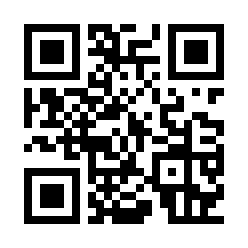
Authenticator setup QR code
  1. Open your authenticator app
  2. Tap οΌ‹ Add β†’ Scan QR code
  3. Point your camera at this code
  4. Enter the 6-digit code it shows
Can't scan? Enter this key manually:
JBSWY3DPEHPK3PXP